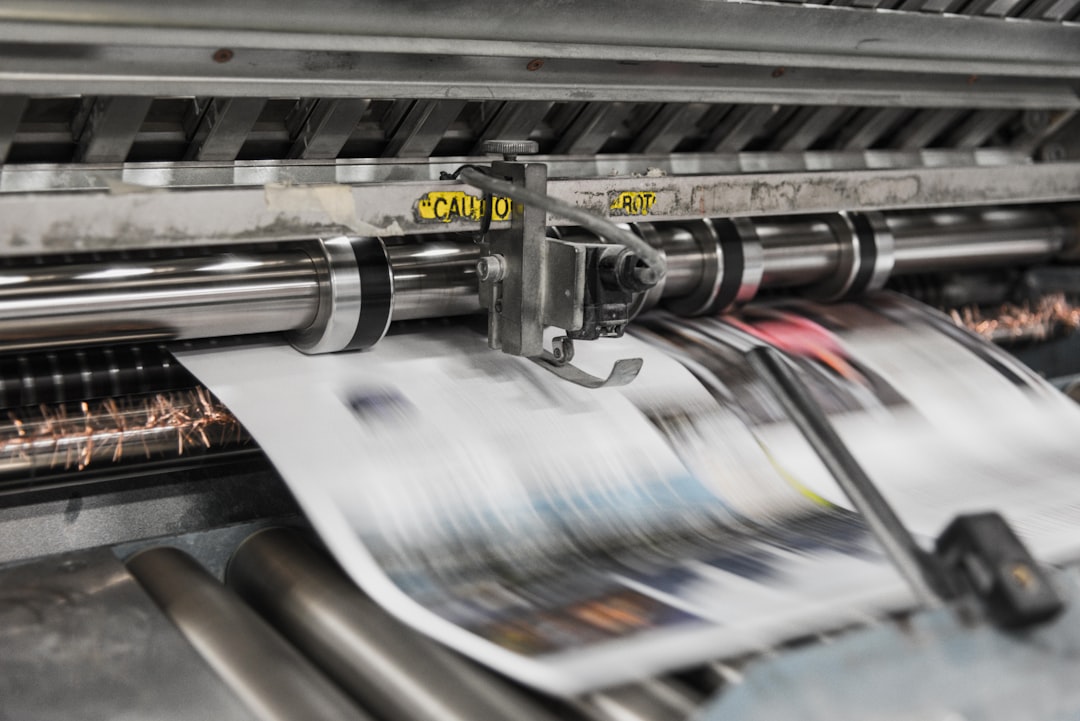
If your phone is already your primary camera, you’re sitting on a surprisingly valuable product catalog. The best-performing creators don’t just publish images; they package moments into assets people can hang on walls, gift, collect, and resell through reliable commerce systems that verify claims and quality. In other words, the same mobile shot you posted in a Story can become a premium poster if you learn how to crop for print, manage color, and ship consistently. This guide is the friendly, practical playbook I’d give an influencer who wants to move from likes to line items while protecting their originals with simple creative workflows that reduce burnout.
We’ll cover the full path from capture to cash flow: deciding which images are worth selling, preparing files for phone-shot content that behaves well in print, choosing between open editions and limited runs, setting prices that leave room for fees, and selecting a marketplace-style fulfillment approach that scales with demand. Along the way, we’ll also touch on backup, privacy, sharing, and workflow—because a profitable print business starts with an organized library, not a lucky photo.
1) Start with the right images: not every mobile photo should become a print
Look for “wall energy,” not just social engagement
The photos most likely to sell as posters are not always the ones with the most comments. Prints tend to work when an image has immediate visual structure: a strong silhouette, clear subject separation, a satisfying color palette, or an emotionally resonant moment that reads well at a distance. A moody street scene, a travel portrait, a food flat lay, or a cinematic cityscape can all work, but each needs to feel intentional when enlarged. If you need help identifying what makes certain content more collectible, study how anniversary serializations create demand through scarcity and story—the same psychology applies to limited print drops.
Audit your library like a product manager
Before you design anything, tag your strongest candidates by theme: travel, culture, fashion, lifestyle, family, abstract, architecture, or seasonal. This is where good organization and auditability practices pay off, even for creators. Create a shortlist of 20–30 images, then score each one for composition, emotional pull, print resolution, and uniqueness. Also ask a practical question: would a stranger want this on their wall if they didn’t know you? If the answer is yes, it belongs in your print pipeline.
Think in collections, not one-offs
Single-image product launches can work, but collections usually convert better because they reduce buyer uncertainty. A “Blue Hour City Series,” “Desert Travel Series,” or “Studio Portrait Study” feels curated, collectible, and easier to market. This mirrors the logic behind composable publishing systems: you want repeatable structures that let you launch new drops without reinventing the entire storefront each time. Collections also make it easier to bundle posters and prints in different sizes, which raises average order value.
2) Prepare phone photos for print: cropping, resolution, and file hygiene
Crop for the final paper size first
One of the biggest mistakes creators make is editing for Instagram first and print second. A square crop may look fine on a feed, but it can destroy composition when you need a 24x36 poster. Decide the end format before you finalize the image: vertical, horizontal, square, or panoramic. Leave breathing room for trim and consider whether key details will be lost at the edges. If you want a quick refresher on translating short-form capture into finished assets, the principles in micro-feature content workflows apply surprisingly well here: plan the final delivery format first, then build backward from it.
Protect sharpness and avoid over-processing
Phone cameras are good enough for many print products, but aggressive sharpening, aggressive noise reduction, and repeated app exports can create a waxy or crunchy look on paper. Export a high-resolution master file whenever possible, and avoid saving the same JPEG over and over. For premium prints, it helps to keep a high-quality original in a secure cloud system with real-world reliability so you can revise crops or color later without quality loss. As a rule of thumb, if you can zoom in on skin texture, hair, leaves, or fabric without obvious artifacts, you’re in better shape for poster-sized output.
Build a clean export checklist
Before you hand files to a printer or fulfillment partner, standardize the basics: correct aspect ratio, sRGB or the printer’s requested profile, embedded metadata, consistent file naming, and a folder structure that separates “master,” “print-ready,” and “live listing” versions. Creators who manage large libraries should also keep accessible dummy link
3) Color management: make your print look like your screen, not a surprise
Calibrate expectations before you calibrate monitors
Print is a different medium than screen. Your phone emits light; paper reflects it. That means the same image can look richer, darker, or flatter depending on paper choice, ink system, and viewing light. Start by understanding the printer’s paper options: matte, satin, luster, and fine art cotton all change contrast and saturation. For visual creators who rely on consistency, the lesson from reliability-first marketing is simple: promise what you can consistently deliver, not what looks best on one calibrated device.
Use soft proofing and test swatches
If your fulfillment partner supports soft proofing, use it. Soft proofing helps you preview how colors shift under a specific printer profile so you can make targeted adjustments before production. Even without advanced tools, order a small test batch on different papers and compare skin tones, shadows, and gradient skies. If your work is built around branding, remember that a poster is part art and part brand asset; the same thinking used in brand-versus-performance landing page strategy applies here too. Don’t optimize purely for vividness if it makes the work feel off-brand.
Match paper to content
Not every image belongs on glossy paper. Portraits and vibrant travel scenes often benefit from luster or satin, while moody black-and-white work, editorial portraits, and minimalist compositions can look more premium on matte or fine art paper. A practical printing rule: the more tactile and gallery-like the image feels, the more likely a matte or cotton rag stock will elevate it. For creators who want to educate buyers, you can publish a small materials guide similar in spirit to governance-heavy labeling explainers, but adapted to paper types, inks, and finish.
4) Build a pricing model that actually makes money
Price from margin, not vibes
Creators often underprice prints because the digital image feels “free.” In reality, the product includes production, packaging, transaction fees, platform fees, shipping, customer support, and returns. A simple model is: wholesale print cost + packaging + shipping subsidy + platform fees + your gross margin. If you need a benchmark for keeping recurring expenses from eating cash flow, the logic in small-business KPI tracking is useful: watch unit margin, conversion rate, refund rate, and average order value every month.
Use tiered pricing to widen your audience
Most creators should offer at least three tiers: an accessible small print, a mid-size poster, and a premium large-format or signed edition. This lets casual fans buy in while superfans trade up. For example, a 12x18 poster might anchor the entry point, a 18x24 print can be the main seller, and a 24x36 limited edition can carry the highest margin. If you’ve ever studied how buyers react to phone bundles or time-limited offers, you’ll recognize the same psychology in time-sensitive bundle evaluation: clarity plus scarcity often lifts conversion.
Account for licensing and usage rights
If you’re selling to fans, you’re usually selling physical art, not commercial usage rights. But if a brand, venue, or publication wants to resell or display your work, your pricing should change. That’s where clean licensing language matters. For creators who care about access control and rights management, the same discipline behind data contracts and quality gates can inspire better image licensing terms: define usage, territory, duration, exclusivity, and attribution. This protects both your revenue and your reputation.
5) Limited editions, signatures, and scarcity without gimmicks
Make scarcity meaningful
Limited editions work best when they feel tied to story, not artificial pressure. A 50-piece signed edition of a fan-favorite travel image, a 100-piece seasonal drop, or a one-week launch tied to a specific event can all create urgency. The key is consistency: if you call something limited, keep it limited. Buyers who collect prints want trust, and trust is built the same way it is in other markets where authenticity matters, as shown in store compliance and communication playbooks. Don’t create false scarcity; create a documented edition policy.
Numbering and signatures add perceived value
Signed and numbered editions are especially appealing because they make the buyer feel connected to the creator. You can sign on the front for a more collectible feel, or on the back for a cleaner aesthetic. Include edition numbers in the listing, on the certificate of authenticity, and in your internal fulfillment checklist. For high-demand drops, many creators benefit from process notes similar to a production chain guide so each print ships with the same evidence of authenticity and care.
Use editions to test demand
Limited editions are not just a sales tactic; they’re a market test. If a specific image sells out in a 100-piece run, you’ve validated demand for larger poster formats, companion products, or even a new thematic series. If something underperforms, the issue may be the crop, price, or audience fit—not necessarily the image itself. That’s why creators should review drops like a product launch, not a one-time art sale, borrowing some of the iteration mindset seen in hybrid human-and-system workflows.
6) Fulfillment partners and product setup: the operational backbone
Choose partners for consistency, not just catalog size
The best fulfillment partner is the one that produces repeatable quality, ships on time, and handles damage claims fairly. Look for printers with proven paper options, color consistency, global shipping support, and branded packing inserts if you want a more premium experience. A broad catalog is nice, but reliability is what keeps reviews high and refunds low. In marketplace terms, it’s the same reason buyers prefer dependable service in categories like skip-the-counter app workflows—speed matters, but predictability matters more.
Set up a product ladder
Start with one or two poster sizes and one art print line, then expand. Too many variants create operational chaos and raise the odds of the wrong size shipping. A simple ladder might include: poster paper for affordable wall decor, premium matte prints for art buyers, and framed options for higher-ticket orders. If you want to learn from other creator businesses that scale into physical products, look at how event-style showcases use a clear path from simple to premium offerings.
Use fulfillment data to improve creative decisions
Your print partner is not just a shipper; it’s a feedback loop. Track which sizes are most ordered, which papers get the fewest complaints, and which images have the lowest return rate. That data tells you what your audience actually wants on their walls. If one composition keeps outperforming others, expand it into a mini-collection. This is the same principle behind modular publishing operations: the system should teach you where the value is.
7) Private sharing, proofing, and collaboration before you launch
Use private links for review and preorders
Before a public release, send private proofing galleries to trusted collaborators, editors, or top fans. This is where private photo sharing links become useful in a print business: they let you test interest, gather feedback, and even pre-sell limited drops without exposing the entire archive. For creators managing client-style work or family-friendly products, shared access can be just as important as the print itself. The broader principle is the same as in auditable data pipelines: control who sees what, when, and why.
Collaborative albums can drive stronger curation
Shared albums are excellent for selecting finalists from a shoot, especially when you want input from a brand partner, art director, or family member. Instead of texting screenshots back and forth, group the top candidates in a collaborative album and invite notes on crop, color, and emotional resonance. For creators juggling many photos, the structure of simple system design is a useful model: reduce friction, centralize feedback, and keep the process easy enough that it actually gets used.
Keep originals protected in cloud backup
Never rely on your camera roll as the source of truth. A real cloud photo storage and photo backup service should preserve originals, metadata, versions, and easy restore options. That way, if you need to re-export a crop, update a product description, or recreate a sold-out edition, you can do it without hunting through old devices. Creators who treat storage as infrastructure tend to recover faster from mistakes and scale more confidently.
8) Marketing your prints without sounding salesy
Sell the story behind the image
People buy wall art for emotional reasons first and decorative reasons second. Your caption, listing, and launch video should explain why this image matters: the location, the moment, the challenge of capturing it, or the personal memory attached to it. The most effective sellers make the buyer feel like they’re acquiring part of the creator’s visual diary. If you need inspiration for packaging narrative into searchable content, study how timely coverage gets discovered; context improves discoverability and desire at the same time.
Use creator trust as a conversion lever
Your audience already trusts your taste. A well-made print drop simply transfers that trust into a physical object. Show behind-the-scenes shots of proof prints, paper comparisons, packing stations, and edition numbering. The more transparent the process, the more premium the perceived product. This is one reason reliability-led branding matters so much in creator commerce: buyers pay for confidence as much as for aesthetics.
Bundle digital and physical value
Consider offering a companion digital wallpaper, a certificate, or an early-access mailing list perk with each print. That gives buyers a richer ownership experience without diluting the physical product. If you publish across channels, think about how bundles and cross-promotions can be structured like full-funnel landing pages: one offer can serve both immediate sales and long-term community building.
9) A practical workflow from phone shot to shipped print
Capture, curate, and back up
After every shoot, move your originals into a structured folder system and back them up immediately. Tag by shoot date, location, theme, and usage rights so later searches take seconds instead of hours. If you’re building a serious creator business, treat the archive as a revenue asset, not clutter. That mindset aligns with modern content operations and helps you avoid the usual “where is that file?” chaos.
Edit once, export multiple variants
Build a master edit, then export specific print crops and listing images from that master. One version might be optimized for a square preview, another for 2:3 posters, and another for a framed premium print. Use naming conventions that make each version unmistakable, such as image-name_master, image-name_poster-24x36, and image-name_listing-web. A little discipline here prevents costly fulfillment mistakes later, especially if you’re scaling alongside larger operational systems.
Test, launch, measure, iterate
Send proof prints, review packing quality, launch a small batch, then track conversion, refund rate, and customer feedback. You’re not trying to create the perfect print business on day one; you’re building a repeatable engine. Start small, learn quickly, and then widen the catalog only after the numbers support it. That process discipline is the same reason smart teams use KPI-driven decision-making rather than guesswork.
Pro tip: If you can’t confidently explain how an image will look at three sizes, on two papers, and under warm room light, it is not yet ready to sell as a print.
10) Comparison table: choosing the right print path for your creator business
| Option | Best For | Pros | Cons | Typical Use Case |
|---|---|---|---|---|
| Open edition posters | Fast-moving creator audiences | Easy to scale, simple pricing, accessible entry point | Lower perceived exclusivity | Top-performing travel or lifestyle images |
| Limited edition art prints | Collectors and superfans | Higher perceived value, scarcity, better margins | More operational tracking needed | Signed drops, themed series, seasonal launches |
| Premium fine art prints | Higher-end buyers | Gallery feel, durable paper, strong brand positioning | Higher unit cost | Portraits, monochrome work, editorial images |
| Framed prints | Gift buyers and premium shoppers | Convenient, high AOV, giftable | Heavier shipping, more damage risk | Holiday campaigns and home decor bundles |
| Photo books or mini zines | Narrative-driven creators | Great storytelling, more content per sale | Design-heavy, lower wall decor appeal | Event recaps, travel diaries, fan recaps |
Frequently asked questions
What resolution do I need to print photos from my phone?
It depends on the final size, but higher is better. For smaller prints, many modern phone images are more than enough. For large posters, you want a clean, sharp master file with minimal compression and careful cropping. Check the image dimensions before you publish, and always test a proof if the print will be larger than your screen-native crop.
Should I edit for social media first or for print first?
For monetization, edit for print first. Social crops can be derived from a print-ready master, but it’s much harder to recover lost edges or detail after a feed-first edit. Build the most complete version you can, then export platform-specific crops afterward.
How do I price posters if I’m just starting out?
Use a simple cost-plus model that includes print production, packaging, shipping, fees, and your target margin. Then compare your price against similar creator products, but don’t undercut yourself just to appear affordable. Buyers often equate too-cheap pricing with low quality.
Are limited editions worth it for new creators?
Yes, if you can keep the edition count realistic and fulfillment reliable. Limited editions help test demand and add collector appeal, but only if you can track numbering, signatures, and inventory accurately. Start small and keep the policy transparent.
What’s the best way to manage files for online photo printing?
Use a cloud-based archive with original files, print-ready exports, and version control. Pair that with clear naming conventions and shared review albums so collaborators can approve crops and proofs without digging through messages or old phones.
How do I choose a photo product fulfillment partner?
Prioritize consistent quality, paper variety, shipping reliability, and responsive support. Order samples first, compare paper and color, and test packaging durability. A partner that is slightly more expensive but consistent will often outperform the cheapest option over time.
Conclusion: turn your camera roll into a product line
Monetizing mobile images is not about becoming a full-time gallery photographer. It’s about recognizing that your phone already captures moments your audience values, then turning those moments into products with real utility and emotional weight. When you combine smart cropping, color discipline, trustworthy backup, private collaboration, and dependable fulfillment, your print business becomes much easier to run and much easier to scale. If you want the broader infrastructure behind that model, start by strengthening your photo backup service workflow, then refine how you share and preview work with private controls and auditable permissions.
From there, the path is simple: identify images with wall appeal, create a small curated collection, validate demand with a limited drop, and partner with a print provider that can deliver consistent, high quality photo prints. Done well, your audience won’t just double-tap your content—they’ll hang it in their homes. And that’s the real win: moving your best mobile images from fleeting attention into lasting value through online photo printing, smart product design, and creator-first fulfillment.
Related Reading
- How to Cover Awards Season Like a Pro: A Creator’s Guide to Timely, Searchable Coverage - Useful for packaging stories and launches so they get discovered faster.
- Composable Stacks for Indie Publishers: Case Studies and Migration Roadmaps - A strong model for organizing creator operations into reusable systems.
- Brand vs. Performance: Crafting a Holistic Landing Page Strategy - Helpful when you want your print sales page to convert without losing personality.
- Five KPIs Every Small Business Should Track in Their Budgeting App - A practical framework for monitoring print revenue and margins.
- Why 'Reliability Wins' Is the Marketing Mantra for Tight Markets - A reminder that trust and consistency often beat flashy promotions.