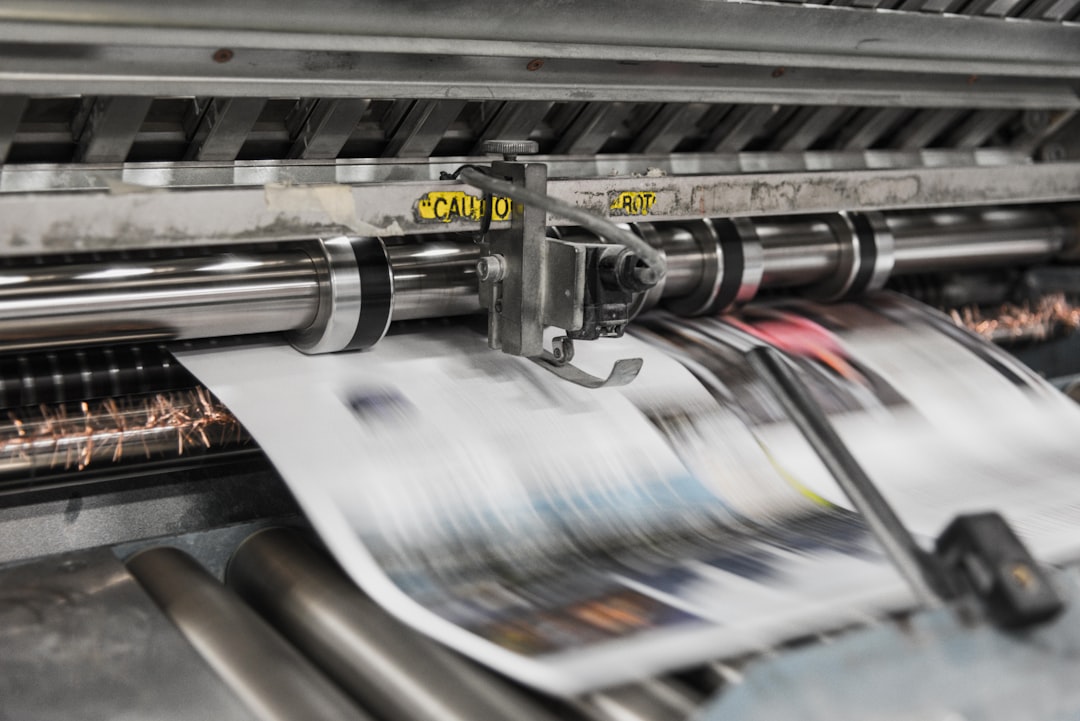
If you sell posters, art prints, or other physical photo products, shipping is not a finishing touch—it is part of the product. A beautiful print can arrive dented, curled, scratched, or water-damaged if you treat packaging as an afterthought. That’s why creators who use photo product fulfillment, online photo printing, or print-on-demand need a repeatable shipping system that protects quality, controls cost, and reduces support tickets. If your workflow also depends on high-quality art prints in everyday spaces, then your packaging has to preserve the same care your audience sees in the finished piece.
This guide is designed as a practical checklist you can use for direct-to-consumer orders, client deliveries, gallery shipments, and POD handoffs. It also connects shipping to the broader creator workflow: storing files in a cloud photo storage system, protecting assets with a reliable photo backup service, and choosing a fulfillment partner that supports consistent print packaging tips. Done right, you lower damage rates, save money on replacements, and build trust with every order.
1) Start With the Right Shipping Mindset
Shipping is part of the customer experience
Most creators think of shipping as logistics, but customers experience it as a continuation of the artwork itself. A rigid mailer, clean label, and corner protection can make the unboxing feel premium; a crushed tube or scuffed sleeve can make even a great print feel cheap. That is why shipping decisions should be made alongside product design, not after the order is placed. If your business already values presentation, you may find the framing and display ideas in this guide to incorporating art prints into your home helpful when thinking about how buyers will receive and display your work.
Protecting margins starts with preventing damage
Replacement costs add up quickly because one damaged print often triggers a second print, fresh packaging, new postage, and customer support time. The hidden cost is worse: a single bad experience can reduce repeat purchases and referrals. For creators selling limited runs or custom work, you may also lose irreplaceable inventory time if a piece has to be reprinted. This is why many successful sellers pair a strong fulfillment workflow with dependable operational handoffs and documented processes so each shipment follows the same standards.
Think like a publisher, not just a packer
Publishers understand that audience trust depends on consistency, and creators should borrow that mindset. When you set a packaging standard for every size, medium, and destination, you make quality predictable rather than improvised. That consistency also helps when using outside fulfillment partners because the rules are clear even if different teams touch the order. In practice, that means documenting tube size, sleeve type, label placement, and insert card language before you scale.
2) Choose Packaging Based on Print Type and Destination
Flat mailers, tubes, or boxes?
The first packaging decision is shape. Flat mailers work well for smaller prints, especially if the paper is thick enough to resist bending and the destination is domestic. Posters and larger art prints often travel better in sturdy tubes, while premium limited editions or framed prints need boxes with internal cushioning. If your portfolio includes multiple sizes, create a packaging matrix so your team does not guess under pressure. For creators planning product sets and seasonal bundles, the logistics lessons in packing to protect fragile items in transit translate surprisingly well to print shipment planning.
Match material choice to risk
Rigid mailers reduce corner bend on smaller items, but they can still crush if used with flimsy outer cartons. Tubes are popular because they are efficient and inexpensive, yet they can curl prints if the paper stock is too delicate or the print is tightly rolled for too long. Boxes are the most protective, but also the most expensive and can increase dimensional weight charges. If you are balancing product quality and budget, the cost-optimization mindset from right-sizing infrastructure is a useful analogy: choose the smallest packaging that still reliably handles the real-world stress of transit.
Destination matters more than many creators expect
A local delivery in a low-traffic urban area is not the same as a cross-country shipment with multiple sort hubs, weather exposure, and longer handling times. International orders add customs checks, longer dwell time, and more opportunities for abrasion or moisture damage. For higher-risk lanes, creators should upgrade the outer packaging and reduce empty space so movement inside the parcel is minimized. When shipping during periods of supply chain strain, it helps to understand broader freight instability, much like the disruptions described in shipping disruption analyses.
3) Build a Print Packaging System That Prevents Damage
Use interleaving and surface protection
Print surfaces scratch more easily than many sellers realize, especially on glossy or satin finishes. A simple interleaving sheet, glassine layer, or archival tissue can protect the print from rub marks caused by packaging movement. Never let adhesive tape touch the image surface, and always verify that any protective material is acid-free if you are selling collectible or archival work. Creators who think in terms of preservation rather than disposal tend to produce better outcomes, similar to how households use careful labeling and storage in storage systems for sensitive items.
Reinforce corners and edges
Most damage begins at corners, not the center of a print. Corner protectors, edge guards, and snug inserts can dramatically reduce dents and crushing. For framed art, the frame corners need protection too, because a small impact can chip the finish or loosen glazing. Pro tip: if the print can move inside the package when you gently shake it, it is not ready to ship. As a general rule, shipping prints safely is about limiting movement first and absorbing shock second.
Control moisture and temperature exposure
Humidity can cause paper cockling, warping, and ink issues, while sudden temperature shifts can affect adhesives and packaging integrity. In humid climates or during rainy seasons, use moisture-resistant outer wraps and consider a desiccant packet for boxed shipments. Avoid sealing a print while it is still damp from production or humid storage. If you are also managing a digital archive of source files, the preservation logic is similar to how creators organize and protect assets in organized visual libraries and backup workflows.
Pro Tip: A package should survive a gentle drop, a short slide, and a little compression without the print shifting. If your packaging only looks good on a desk, it is not strong enough for carrier handling.
4) Labeling, Barcodes, and Documentation That Reduce Errors
Make the label easy to scan and hard to damage
Bad labels create delays, and delays create more handling. Place shipping labels on the largest flat surface, avoid seams or taped edges, and ensure barcodes are unobstructed. If you are reusing outer cartons for cost savings, remove or cover old labels fully so carriers do not scan the wrong package. In a fast-moving creator business, the same discipline that helps publishers manage routine operational transitions can also reduce fulfillment mistakes; see this playbook on process continuity for the broader principle.
Include order documentation inside and outside the package
External labels handle transit, but internal documentation helps with customer service and returns. A small packing slip, print title card, or order reference can speed up identification if the outer label is damaged. For premium or branded experiences, a neat insert also reinforces trust and makes the order feel intentional rather than generic. Creators who sell to clients may also want to include care instructions, edition info, and licensing notes, especially if the work is part of a professional image portfolio.
Use clear handling instructions sparingly
Too many warning stickers can make a package look fragile without actually improving handling. Still, some situations call for practical markings like “Do Not Bend,” “Fragile,” or “Keep Dry.” Use these only where they genuinely support the package design, because carriers may ignore labels that look like decoration. If you want to think about packaging as a trust signal, the logic is similar to how certification signals influence premium purchases: the message only matters if the underlying quality is real.
5) Cost-Saving Strategies for Creators and Print-on-Demand Teams
Standardize package sizes to lower waste
One of the easiest ways to reduce shipping cost is to limit the number of packaging SKUs you use. When every print size gets its own bespoke mailer, inventory gets messy and waste rises. A small set of standard tube lengths, mailer sizes, and box formats lets you buy in bulk and train staff faster. This is especially useful for creators fulfilling a broad catalog through print-on-demand partners because the fulfillment side becomes easier to predict.
Know when to use economy shipping versus premium service
Not every print needs express shipping, but some orders do deserve it. For low-cost open edition posters, economy tracking may be acceptable if the package design is strong and the customer is informed about delivery windows. For signed editions, time-sensitive campaign drops, or high-value art prints, faster service with better tracking can be worth the added spend. Think of it like the decision framework in cost-optimized infrastructure planning: spend more where it actually improves reliability and customer satisfaction.
Reduce avoidable reprints with better preflight checks
Shipping costs are often only the visible part of fulfillment expense. The invisible cost is reprinting an order because the file was wrong, the finish was selected incorrectly, or the address needed manual correction. Before anything leaves the warehouse, verify dimensions, crop, paper choice, and labeling. If your source assets live in a robust archive, a well-managed print workflow paired with reliable backup reduces the chance of disaster when you need to reprocess a file quickly.
6) Shipping Prints Safely Through Print-on-Demand Partners
Vet packaging standards before you go live
Not all POD providers package prints the same way. Some use sturdy mailers or tubes as a baseline, while others optimize heavily for speed and may use minimal protection. Ask detailed questions: What is the standard outer package? Are edge protectors included? How are large-format prints rolled or flat-packed? What happens when a print is damaged in transit? Those answers matter as much as print quality, because the best product still disappoints if the fulfillment partner cuts corners.
Request samples and simulate real shipping conditions
Creators should test partner packaging the same way they test print samples. Order multiple sizes, ship them to different addresses, and inspect them on arrival for bends, scuffs, moisture, and label quality. If you are serving international customers, test both domestic and cross-border routes because customs and sorting facilities can change the stress profile dramatically. The best shipping systems are not theoretical—they are proven through hands-on testing, just like modern creators test tools before rolling out new workflows in growth-focused product systems.
Build service-level expectations into your storefront
Clear delivery estimates reduce anxiety and support tickets. Tell customers how prints ship, whether they are packed flat or rolled, and what to do if the package arrives damaged. For branded creator businesses, this is also where you can set expectations around unboxing and care. A transparent shipping policy is not only helpful operationally; it also improves perceived professionalism, much like good media planning and distribution help creators across formats, including multi-platform creator businesses.
7) A Practical Creator’s Packaging Checklist
Before the order leaves your desk
Use a consistent checklist every time. Confirm the final print size and finish, inspect the surface for dust or marks, and add interleaving protection. Select the correct package based on size and shipping zone, then make sure the print cannot slide or crease inside the container. A creator who treats this as a repeatable preflight process will have fewer returns than one who improvises from order to order.
Before the package enters carrier hands
Check that labels are flat, legible, and scannable. Confirm the customer’s address, especially for apartments, studios, and business deliveries where missing unit numbers often cause failures. Seal all seams securely, but avoid over-taping, which can make unpacking frustrating and may obscure important information. If you want a broader perspective on protecting valuable items during transit, the principles in protective packing guides can reinforce how much movement control matters.
After dispatch
Track every order and monitor exceptions. If a package stalls, contact the carrier before the customer reaches out. For damages, ask for clear photos of the outer packaging, the label, and the print itself so you can identify whether the failure came from packing, handling, or environmental exposure. Good post-shipment follow-up helps you improve your packaging rules over time rather than repeating the same mistakes.
| Print Type | Best Packaging | Main Risk | Cost Level | Best Use Case |
|---|---|---|---|---|
| 8x10 or smaller | Rigid mailer with interleaving sheet | Corner bends | Low | Open edition sales, quick turnaround orders |
| 11x14 to 18x24 poster | Sturdy tube or reinforced flat mailer | Curving, edge damage | Medium | Mass-market art prints, influencer merch |
| Large-format art print | Heavy-duty tube or boxed flat-pack | Compression, creasing | Medium-High | Premium works, collector editions |
| Framed print | Double-box with corner protection | Glass breakage, frame chipping | High | Gallery orders, direct client delivery |
| International shipment | Extra cushioning, moisture barrier, clear label | Long transit, customs handling | High | Cross-border storefronts and global POD |
8) How Cloud Workflows Make Shipping Better
Better file management prevents shipping mistakes
Shipping problems are not always caused by the box. Many begin upstream with missing files, incorrect versions, or inconsistent naming. If your team uses a shared archive, you can quickly locate the right source image, output version, and crop configuration before the order is sent to production. That is one reason creators increasingly use cloud photo storage as part of their fulfillment stack, not just as a backup tool.
Backup is insurance for fulfillment speed
If a POD partner flags a file issue and needs a resubmission fast, the ability to restore the correct original can save the order. A dependable photo backup service protects against accidental deletion, corrupted exports, and device loss. That matters for creators because a missing file can delay not just one shipment but an entire drop. The more organized your digital archive is, the easier it is to keep your physical shipping pipeline moving.
Searchable libraries help teams scale
As your catalog grows, so does the complexity of fulfillment. Tags, collections, and metadata let you find the right product files quickly, which reduces packing mistakes and reprint delays. This also matters for licensing and client work, where you may need to verify which version can be shipped, posted, or sold. The broader lesson from creator operations is simple: good organization upstream leads to fewer failures downstream, whether you are handling a media campaign or an art print order.
9) Common Shipping Mistakes and How to Avoid Them
Overpacking or underpacking
Too much packaging wastes money and may confuse the carrier about the parcel type. Too little packaging invites damage. The right answer is not maximum material; it is appropriate protection. Test your package by pressing on the edges, lightly shaking it, and inspecting for movement before you assume it is ready.
Ignoring climate and route conditions
A shipment in winter faces different risks than one in summer. Heat can soften adhesives, while rain or snow can weaken cardboard and labels. Long routes with repeated sortation also create more abrasion opportunities than a direct local delivery. Creators who want to improve reliability should review shipping performance by destination, not just by total volume, and adjust packaging accordingly.
Not setting customer expectations
Many support problems come from silence. If you do not explain how a print ships, how long it takes, and what to do if it arrives damaged, customers will fill in the blanks themselves. A brief shipping policy, confirmation email, and damage-reporting process go a long way. This is especially important for photo product fulfillment businesses where quality is visual and expectations are often very high.
Pro Tip: The cheapest package is not the lowest-cost package if it causes replacements. Measure true shipping cost as packaging + postage + labor + damage rate + customer support time.
10) Final Checklist Before You Ship
Pre-shipment quality control
Before any print leaves your studio or partner facility, inspect the finish, confirm the order details, and verify the destination. Check that the package format matches the print type and shipping zone. Make sure the parcel is sealed, labeled, and tracked. If you can standardize only one thing this month, standardize your quality-control step.
Post-shipment review
Track damage patterns by size, carrier, lane, and packaging method. That data helps you decide when to upgrade materials or switch packaging types. Over time, your shipping process should become more accurate and more efficient, not just more familiar. The strongest creator businesses use shipping data the same way they use content metrics: to learn, improve, and protect margin.
Build your own delivery standard
There is no universal package that works for every print, but there is a universal principle: the package should protect the artwork with minimal waste and maximum consistency. Once you define your standard, train everyone involved—your team, your POD vendor, and even your customer service staff—to follow it. That standard is part of your brand promise, and when it is done well, customers notice. If you want to keep learning how presentation affects perceived value, browse more examples of print-led home styling and think about how the unboxing experience supports the final display.
Frequently Asked Questions
What is the safest way to ship posters?
For most posters, a sturdy tube or reinforced flat mailer with surface protection and minimal movement is the safest option. If the print is valuable, very large, or sensitive to curling, a boxed flat-pack may be better. Always match the package to the paper weight, finish, and destination route.
Are tubes or flat mailers better for art prints?
Neither is universally better. Tubes are efficient and often cheaper for larger prints, but they can cause curling if the paper is delicate or the shipment is long. Flat mailers preserve the print’s shape better for smaller sizes, but they must be rigid enough to prevent bending.
How do I reduce damage claims with print-on-demand?
Start by ordering samples from your POD partner and testing actual transit conditions. Then standardize packaging, confirm label quality, and make sure your storefront explains shipping timelines and damage reporting. The more predictable your packaging, the fewer surprise claims you’ll get.
Should I include “Fragile” stickers on print packages?
Use them selectively. Clear handling labels can help in some cases, but they should not replace strong packaging. If a package is robust enough, the sticker becomes a minor reinforcement; if it is fragile, the sticker will not save it.
How can cloud storage help with fulfillment?
Cloud-based organization makes it easier to find the correct master file, export version, or edition record when a fulfillment issue appears. It also protects against accidental deletion, which is especially useful when a POD partner needs a quick resubmission. A reliable archive helps keep the shipping process moving.
What’s the biggest mistake creators make when shipping prints?
The most common mistake is treating packaging as a cost to minimize rather than a quality control system. Creators who underinvest in packaging often pay more later through reprints, refunds, and customer disappointment. Better packaging usually costs less than fixing a damaged delivery.
Related Reading
- Road-Trip Packing & Gear: Maximize Space and Protect Your Rental - Useful principles for securing fragile items during transport.
- Inside Beauty Fulfilment: What Happens When a Serum Goes Viral - A look at scaling order fulfillment under pressure.
- Covering Personnel Change: A Publisher’s Playbook for Sports Coach Departures - Helpful for documenting consistent operational handoffs.
- Designing Cost‑Optimal Inference Pipelines: GPUs, ASICs and Right‑Sizing - A useful model for thinking about efficiency and tradeoffs.
- Celebrating Art in Everyday Life: How to Incorporate Art Prints into Your Home - Inspiration for presenting prints as finished experiences, not just products.